
Read enough breach post-mortems and one detail keeps surfacing: in the worst cases, the victim did nothing careless. They did not open a shady attachment. They did not type a password into a fake login box. They loaded a page they had opened a hundred times before, and that was the whole attack.

Getting hacked is usually framed as a mistake you make. You clicked the wrong link. You fell for the email. But a whole category of attacks removes the mistake entirely. The page loads, code runs, and you are compromised or fully profiled before your cursor moves. The click was never the point. The visit was.
This breakdown covers the four ways a website can reach you without a single tap, the real campaigns that prove each one works, and what actually stops them. No fear for the sake of fear. Just how it happens, and how to become a far harder target.
By the numbers
| Figure | What it means |
|---|---|
| 0 | Clicks needed for a true zero-click exploit to take over a phone |
| ~1% | Share of online ads estimated to carry malicious content, per Secureworks |
| 2019 | Year Operation Triangulation quietly began, found only in 2023 |
What "no click needed" actually means

"Hacked without clicking" is not one thing. It is four different problems that happen to share a symptom. Some end with full control of your device. Some just build a permanent profile of who you are. Knowing which is which changes how you defend against them.
| Attack | Type | What it does |
|---|---|---|
| Zero-click exploits | Takeover | A flaw in software that processes incoming data runs attacker code with no interaction at all. The rarest and most dangerous of the four. |
| Drive-by downloads | Takeover | A trusted site is quietly compromised. Visiting it feeds an exploit to your browser and silently installs malware. |
| Malvertising | Bait | A poisoned ad on a legitimate page pushes you toward malware, sometimes with a redirect you never asked for. |
| Browser fingerprinting | Tracking | No malware at all. The page reads your device's quirks and builds a near-unique ID that follows you across the web. |
Zero-click exploits: the one that keeps defenders up at night
A zero-click exploit is the purest version of the idea in the title. There is no link, no prompt, no decision for you to get wrong. A piece of software on your device receives data on its own (a message, an image, a call setup packet), mishandles it, and ends up running the attacker's code. Your phone does the work for them.
The reason these are terrifying is that the usual advice collapses. "Do not click suspicious links" means nothing when there is nothing to click. And because the attack lives in code that runs automatically, you often cannot see it happen or know it happened at all.
| Real case: Operation Triangulation. In 2023, Kaspersky disclosed a campaign that had been running since at least 2019. Target iPhones received an iMessage carrying a malicious attachment. With no interaction, the message triggered code execution, pulled down further stages, escalated to root, and installed a full spying platform. The initial message was then deleted to cover its tracks. The chain abused five vulnerabilities, four of them unknown zero-days later patched by Apple (CVE-2023-32434, CVE-2023-32435, CVE-2023-38606, CVE-2023-41990), and even leaned on an undocumented hardware feature. It hit senior staff and diplomats, and researchers confirmed a parallel path that could attack through the Safari browser too. |
Operation Triangulation is not a one-off. Commercial spyware such as NSO Group's Pegasus has been documented reaching iPhones through zero-click paths, including a browser route that exploited Safari. The uncomfortable takeaway is that a fully updated, well-configured phone has been taken over by a text message it never showed to its owner. These attacks are expensive and usually aimed at specific high-value people, which is the only genuinely reassuring thing about them.
Who should worry: Journalists, activists, executives, and government staff are the realistic targets of true zero-click spyware. For most people it is not the daily threat. The next three are.
Drive-by downloads: the trap on a site you already trust
This is the attack most people picture when they imagine a website that hacks you. You visit an ordinary site, and because attackers quietly broke into that site first, your browser is handed exploit code on arrival. If your browser or a plugin has an unpatched flaw, malware installs itself. No download button. No warning box in the honest versions.
The targeted flavor has a name: a watering hole attack. Instead of breaking into a hardened organization directly, attackers poison a site that the organization's people visit anyway, an industry forum, a news outlet, a vendor portal, then wait for the herd to arrive. It works because it weaponizes trust rather than fighting it.
How a drive-by actually runs
1. Attackers compromise a legitimate site and inject hidden code, often JavaScript or an invisible iframe.
2. Your browser loads the page and the injected code silently profiles your software versions.
3. If it finds a known weakness, it quietly delivers matching exploit code to your browser.
4. The exploit runs and pulls down the real payload, from spyware to a banking trojan, with no action from you.
| Case | Year | What happened |
|---|---|---|
| Forbes.com | 2015 | The "Thought of the Day" widget that greeted first-time visitors was rigged to chain two zero-days (Internet Explorer and Flash) into a drive-by download. A mainstream news homepage became the delivery vehicle. |
| Council on Foreign Relations | 2012 | One of the most cited watering holes. The think tank's own website was seeded with malware, exposing high-profile visitors to drive-by infection simply for reading it. |
| Polish bank regulator | 2017 | The site of Poland's Financial Supervision Authority was compromised and used to push malware at banks across multiple countries. A regulator became the trap for the institutions it oversees. |
| iPhone Dev SDK forum | 2013 | A forum for iOS developers was turned into a watering hole to reach engineers at the companies they worked for. The audience, not the site, was the real target. |
The thread running through all four is that nothing looked wrong. The address bar showed a brand people knew. The lock icon was present. The site was the one they meant to visit. That is the entire design.
Malvertising: the poisoned ad hiding in plain sight
Ads are the internet's most trusted stranger. They load automatically, they appear on sites you respect, and the big ad networks are assumed to police them well. Attackers exploit exactly that assumption. Malvertising means buying or hijacking ad placements and using them to serve malware or steer people to malware-rigged pages. Some variants redirect without a click. The more common ones lure you to a clone of a site you were already looking for.
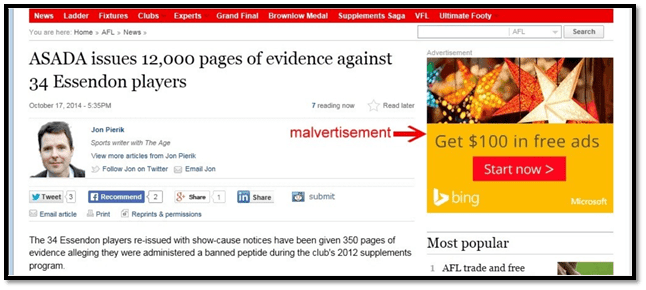
| Real case: the Great Google Ads heist. In January 2025, Malwarebytes detailed what it called the most egregious malvertising it had tracked. Criminals ran Google ads aimed at people searching for Google Ads itself, then routed them to fake onboarding pages hosted on Google Sites so the visible domain still matched Google. The goal was to steal advertiser accounts and recycle them to fund still more malicious ads. Reports suggest it had been running since late 2024. |
| Campaign | What happened |
|---|---|
| Nitrogen (via Sophos) | Google and Bing ads impersonated popular tools like AnyDesk, WinSCP, and Cisco AnyConnect VPN. Searching for trusted software returned a paid result that led to malware. |
| Fake Signal and Telegram | Researchers at eSentire tracked ads pointing to cloned download pages for secure chat apps. The installer delivered the RedLine information stealer instead. |
The pattern is consistent and worth burning into memory: the malicious page outranks the real one because someone paid to put it there. You searched for the right thing, clicked the top result, and landed somewhere built to rob you. The defense here is refreshingly low-tech, and it is in the checklist below.
Browser fingerprinting: identified before you touch a thing
The first three attacks want control of your machine. This one just wants to know exactly who you are, and it succeeds the moment a page loads. Browser fingerprinting skips cookies entirely. Instead, a script quietly asks your browser for dozens of small details and combines them into an identifier that is often unique to your specific device.
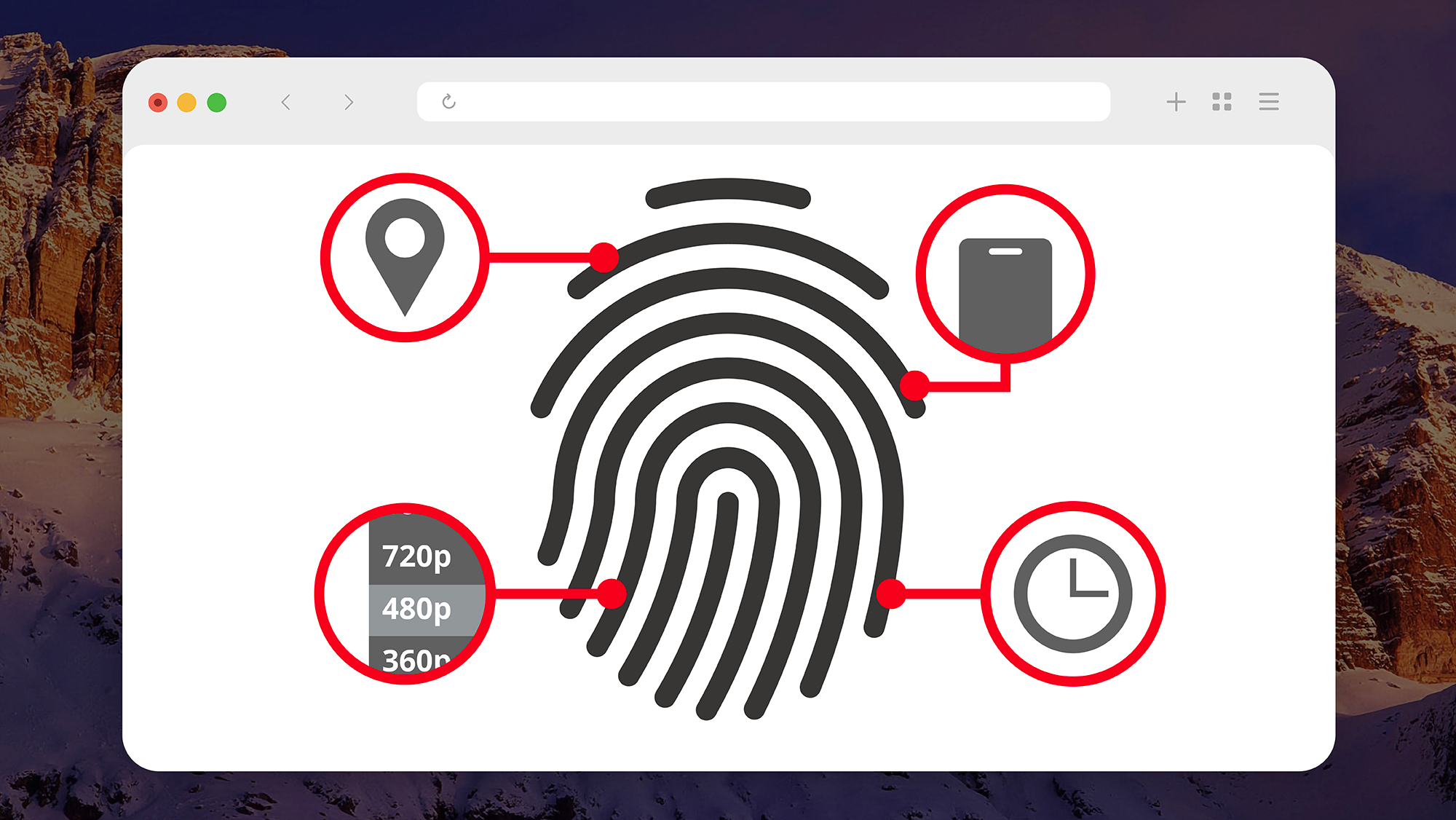
The clever part is that none of the ingredients are secret or suspicious on their own. They are standard features the web needs to function. Two of them do most of the work.
| Signal | What the page reads | Why it is sticky |
|---|---|---|
| Canvas | The page draws a hidden image and reads the pixels back. Tiny differences in your GPU, drivers, and font rendering make the result yours. | Comes from hardware, not stored data, so clearing cookies changes nothing. |
| WebGL | Queries your graphics hardware directly for the GPU vendor and full renderer string, then renders a hidden 3D scene. No permission prompt appears. | Pins down your exact graphics setup across sessions. |
| Fonts and screen | Installed fonts, resolution, timezone, language, and audio quirks. | Each one narrows the crowd until little of it is left. |
Stack those signals and the result is uncomfortably precise. A 2016 Princeton measurement of one million sites documented just how widely this technique had already spread across the web, and privacy tests like the Electronic Frontier Foundation's Cover Your Tracks routinely show that most browsers produce a near-unique fingerprint. Because the identifier is drawn from your hardware, it survives incognito mode, cleared cookies, and even a switch to a fresh browser profile. As third-party cookies fade out, this is the quiet machinery that advertisers and anti-fraud systems lean on instead.
The four attacks at a glance
| Attack | Click needed? | Usual target | Real example | Best defense |
|---|---|---|---|---|
| Zero-click exploit | None | High-value individuals | Operation Triangulation | Updates, Lockdown Mode, reboots |
| Drive-by download | None, just a visit | Visitors of a chosen site | Forbes.com widget, 2015 | Patch everything, block scripts |
| Malvertising | Often one click | People searching for software | Fake Signal and Telegram ads | Ad blocker, use official domains |
| Fingerprinting | None | Everyone, by default | Canvas and WebGL tracking | Resistant browser, script blocking |
How to actually protect yourself
Here is the part worth holding onto. The defenses are boring, cheap, and effective, because almost every one of these attacks depends on an unpatched flaw or an assumption you can simply stop making.

For almost everyone
• Turn on automatic updates everywhere. Operating system, browser, and apps. Drive-by and most spyware chains rely on holes that were already patched by people who updated.
• Run a reputable content blocker. A well-regarded blocker such as uBlock Origin removes a large share of malvertising and kills many fingerprinting and exploit-serving scripts before they load.
• Never download from the ad. Scroll past sponsored results and type the official address yourself. This single habit defeats nearly every malvertising campaign above.
• Use a fingerprint-resistant browser. Brave adds randomized noise to canvas and WebGL output. Tor Browser and Mullvad Browser take the opposite route and make everyone look the same.
• Test your own browser. Run the EFF's Cover Your Tracks to see how unique and trackable you currently are, then adjust.
For high-risk targets
• Switch on Apple Lockdown Mode (or the Android equivalent hardening). It deliberately strips back risky features like complex message-attachment handling, the exact surface zero-click chains have abused.
• Reboot your phone regularly. Many advanced implants do not survive a restart, so a routine reboot can clear a non-persistent infection.
• Reduce your message surface. Kaspersky's own guidance after Operation Triangulation included disabling iMessage and FaceTime for the most exposed users.
• Assume trusted sites can turn hostile. Watering holes work precisely because the site looked safe. Keep work browsing on managed, patched, segmented devices.
The final verdict
Across case after case like these, the detail that stands out is not the sophistication of the exploits. It is how ordinary the victim's behavior was. Nobody in the Forbes or Council on Foreign Relations incidents did anything a security awareness course would scold them for. They read a website. The idea that caution alone keeps you safe does not survive contact with how these attacks really work.
That said, the honest conclusion is not panic. It is perspective. The truly frightening category, zero-click device takeover, is rare, costly, and pointed at specific people who tend to know they are targets. What touches most people every day is softer: a poisoned ad outranking the real download, a trusted site having a bad week, a fingerprint quietly following you from tab to tab. None of that needs a genius to stop. It needs updates you have been postponing, a blocker you have not installed, and the small discipline of typing an address instead of trusting the top result.
The website that hacks you before you click is real. It is also, for most people, beatable with a handful of boring habits. Set them once, and the visit stops being the attack.